


Understanding SystemLink™’s File System
This blog is a part of the series – Leverage SystemLink™ for Machine Learning. In this article, we will understand how files are stored in SystemLink™’s internal file system.
SystemLink™ allows storing any kind of file in the server. The files uploaded to the SystemLink™ server are stored in a unique file path in SystemLink™’s internal storage and associates a unique file ID. The unique path and other properties of the file are stored in SystemLink™’s database. One of the default properties for each file is the “Name” property and more properties can be added/updated by the user as file metadata.
For example, here is an example Deep Learning Model file stored in SystemLink™. We are using SystemLink™’s file viewer to view this information.
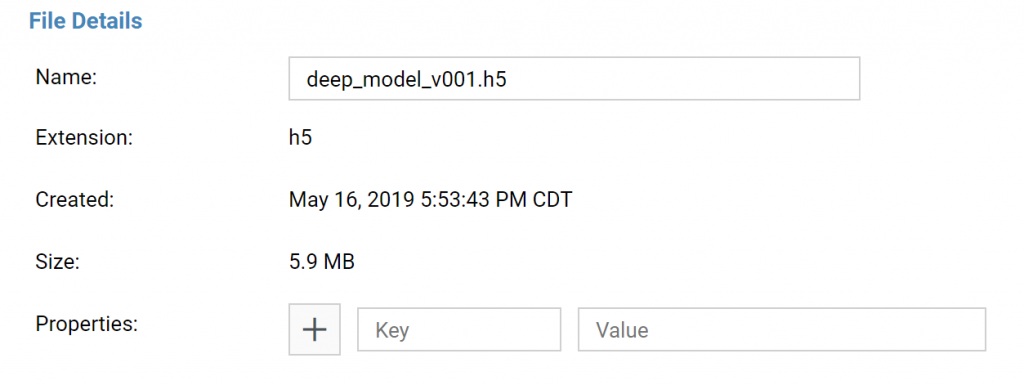
Here Name, Extensions, Created, Size are the default properties and this file does not have any additional properties.
Here is another example of a waveform that is stored in SystemLink™. Here you can see that it has some additional properties as well.
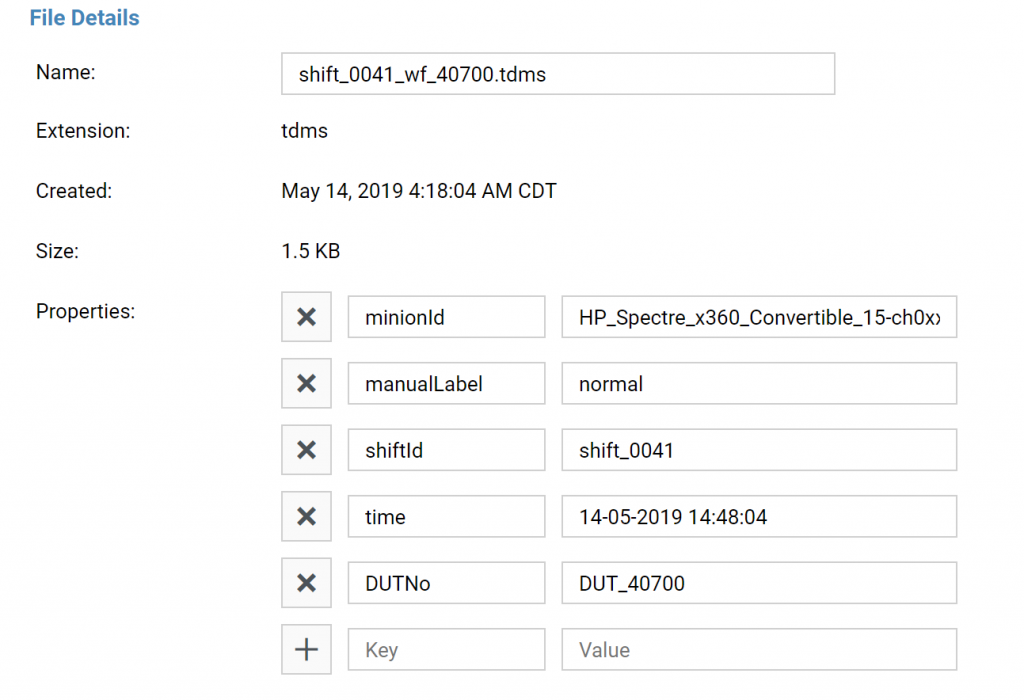
These additional properties including the “Name” property can either be edited manually in the file viewer or programmatically using the APIs provided by SystemLink™. The APIs also support querying for files based on these properties. Learn more about Accessing Files from SystemLink™ Server in JupyterHub
Written by
Raghul Ravichandran
April 20, 2019